
Starboard
Let members repost the good messages to a channel by reacting to them.
Replace [prefix] with your server's prefix.
What It Does
React to a message with the starboard emoji. Once enough people have done the same, serenity reposts it in the starboard channel, with a link back to the original.

Setting It Up
// Syntax
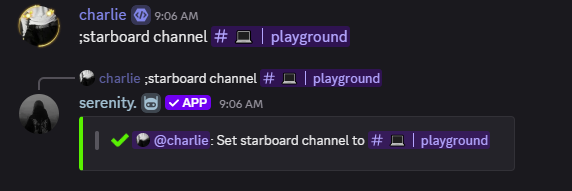
[prefix]starboard channel [channel]

// Example
;starboard channel #starboard
That's the whole setup - a starboard with a channel is live. Everything below is optional tuning. All of it needs Manage Server.
Threshold and Emoji
// Syntax
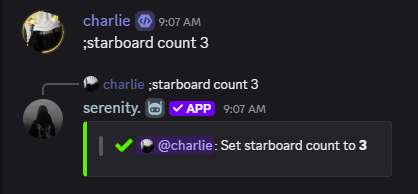
[prefix]starboard count [number]

// Example
;starboard count 3
// Syntax
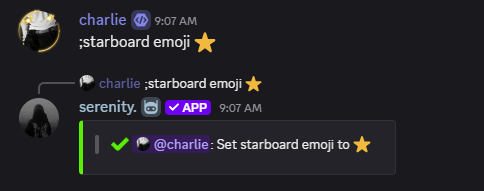
[prefix]starboard emoji [emoji]

// Example
;starboard emoji ⭐
Custom server emojis work too.
Rules
| Command | Decides |
|---|---|
[prefix]starboard selfstar on|off | Whether members can star their own messages |
[prefix]starboard nsfw on|off | Whether messages from NSFW channels can be reposted |
selfstar off is worth setting on any server big enough for someone to notice
they can farm their own starboard entries.
Ignoring Things
// Syntax
[prefix]starboard ignore add [target]

// Example
;starboard ignore add #spam
;starboard ignore add @Muted
;starboard ignore add @member
The target can be a channel, a whole category, a role or a single member - messages from anything on the list never reach the starboard.
;starboard ignore list
;starboard ignore remove #spam
Stats
| Command | Shows |
|---|---|
[prefix]starboard top | The most starred messages |
[prefix]starboard leaderboard | Members ranked by stars received |
[prefix]starboard stats [member] | One member's starboard record |
[prefix]starboard settings | Every setting at a glance |
Turning It Off
;starboard disable
Asks for confirmation, then clears the configuration. Messages already on the starboard stay where they are.
Last edited