
Verification
Make members clear a challenge before they get into your server.
Replace [prefix] with your server's prefix.
Verification is the door of your server. A member who just joined gets nothing - no roles, no channels, no welcome message - until they've pressed a button, typed a captcha, solved a small sum or worked out a puzzle. Raid bots don't do any of those things, so they never make it past the panel.
You can also run these commands as slash commands, as they sometimes work better this way.
Setting up Verification
There are two ways in. If you don't have a verified role or a verification channel yet, let serenity build the whole thing for you.
Let serenity build it
[prefix]verification create creates a verified role, an unverified waiting role, a #verify channel with the right permissions and posts the panel into it. Running it twice won't give you a second channel - anything that already exists is kept.
// Syntax
[prefix]verification create

// Example
;verification create
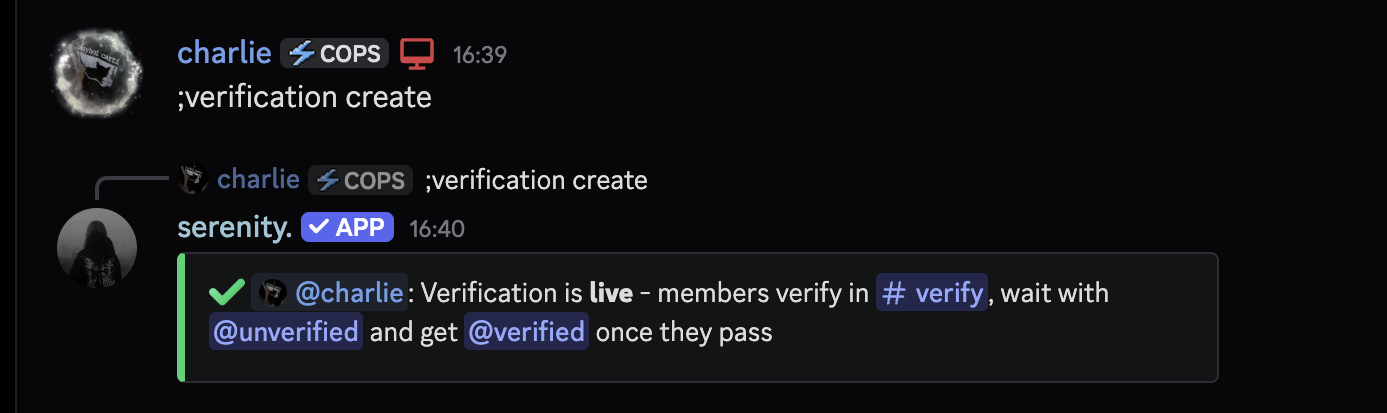
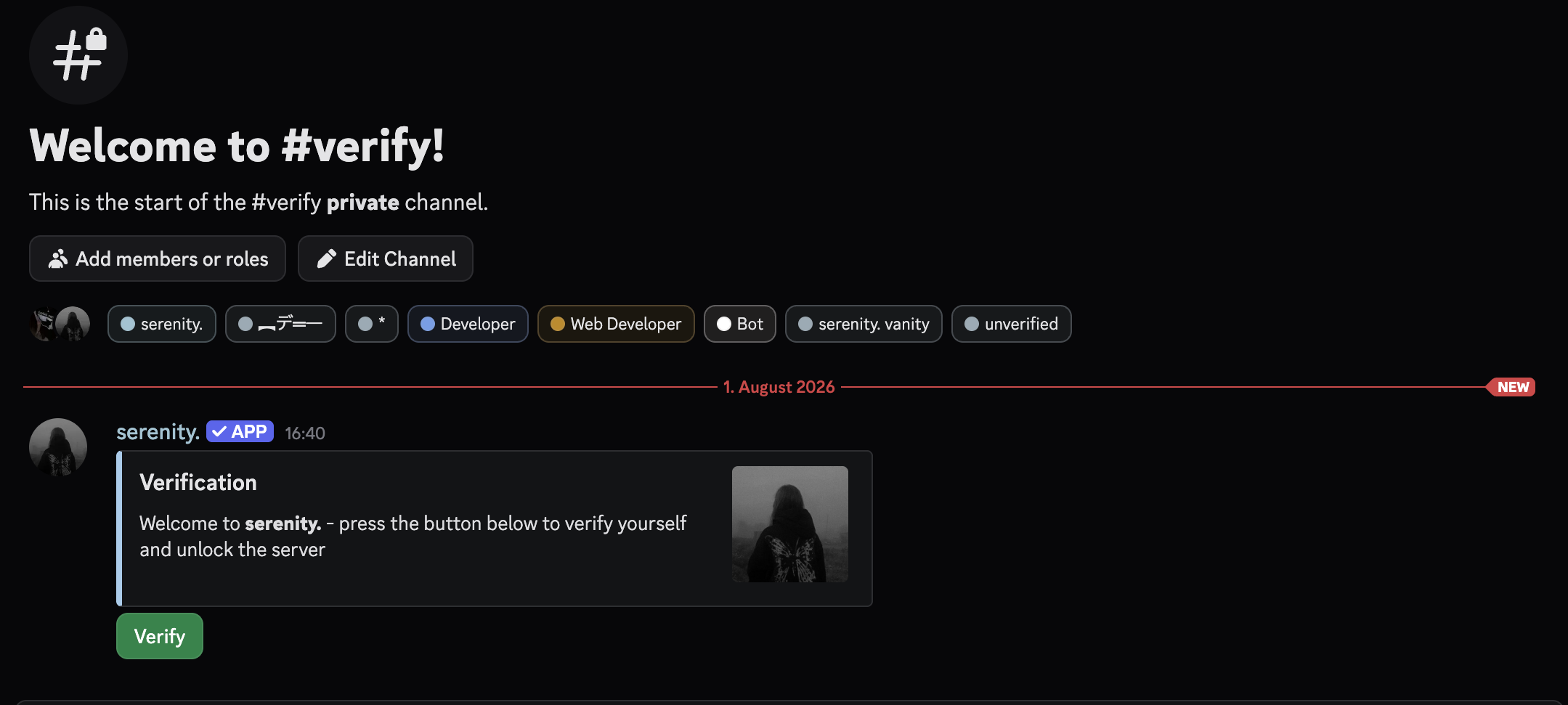
serenity needs Manage Roles and Manage Channels for this. The waiting role gets denied in every category of your server, which takes a moment on big servers - that runs in the background after the command has already replied.
Use roles you already have
If you already have a member role, point verification at it instead. The channel is optional - leave it off and the panel goes into the channel you ran the command in.
// Syntax
[prefix]verification setup [role] (channel)

// Example
;verification setup @Verified #verify
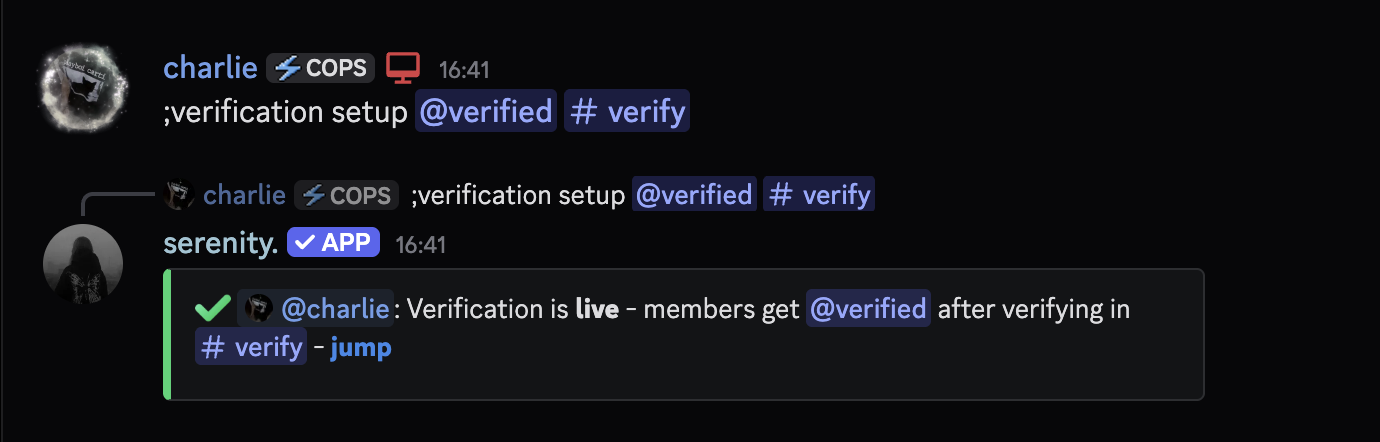
The verified role has to sit below serenity's own role, otherwise the bot can't hand it out and nobody can verify.
Pick a Challenge
By default members only have to press a button. That already stops most self-bots, but you can ask for more.
| Mode | What the member does |
|---|---|
button | Presses the button on the panel. Instant. |
captcha | Reads a warped code off an image and types it into a modal. |
math | Answers a small sum in a modal. |
logic | Works out a puzzle - something you have to think about, not just calculate. |
// Syntax
[prefix]verification mode [button|captcha|math|logic]

// Example
;verification mode captcha
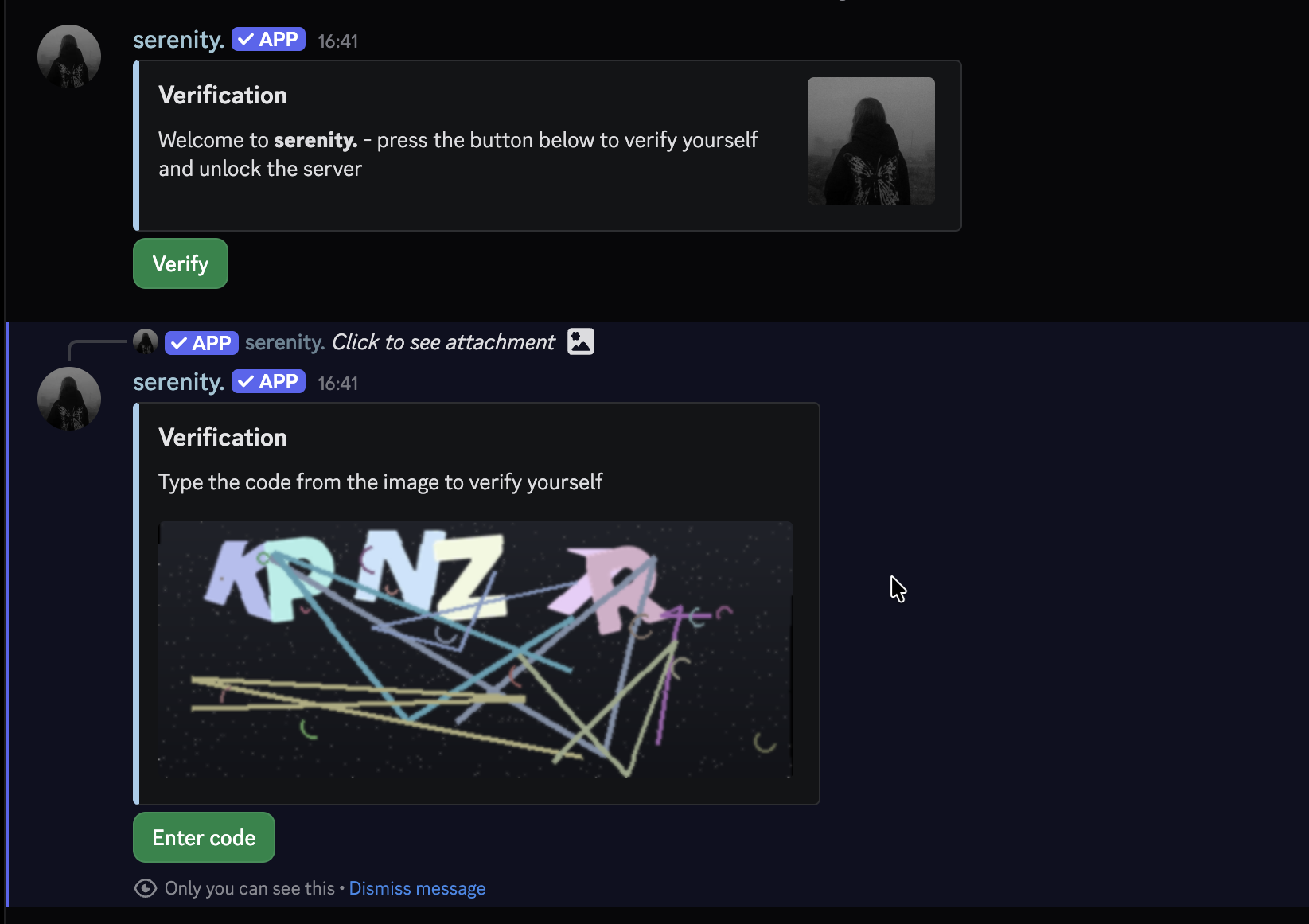
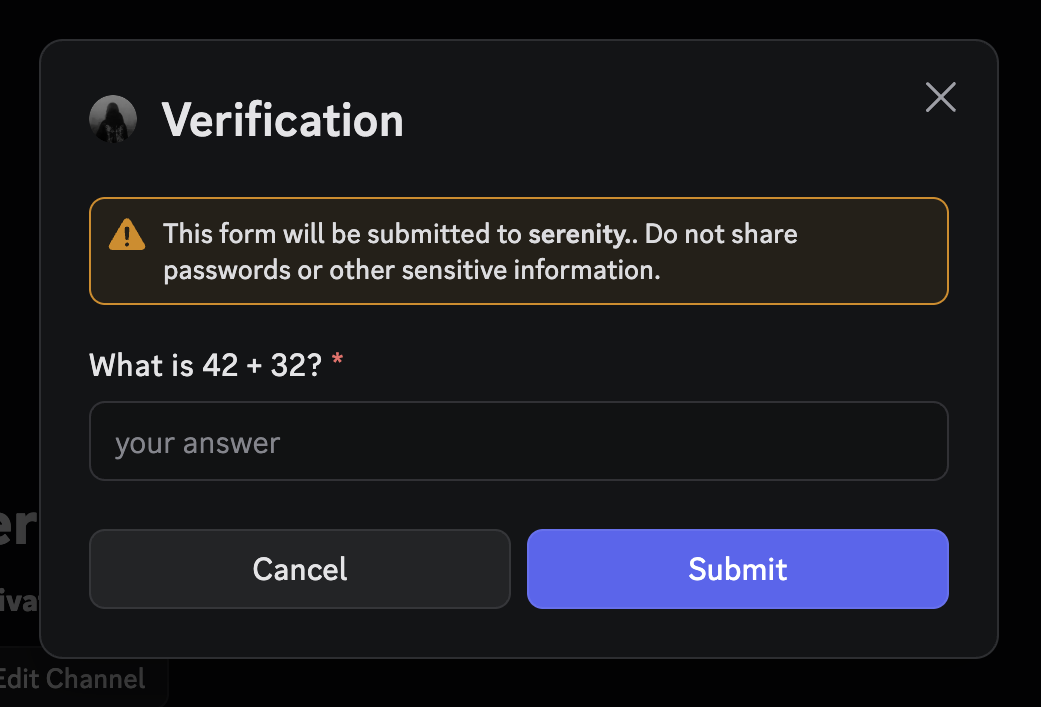
Every challenge is ephemeral - nobody else in the channel sees the code, and two members never get the same one.
The Logic Puzzle
logic asks for reasoning rather than arithmetic. Every member gets a freshly generated one out of six kinds:
| Kind | Looks like |
|---|---|
| Number sequence | 2, 6, 10, 14, 18, ? - also doubling and growing gaps |
| Letter sequence | L, N, P, R, T, ? - forwards or backwards |
| Odd one out | 18, 9, 64, 16, 25 - four share a rule, one doesn't |
| Ordering | "Ella arrives before Luca. Nora arrives before Ella. Who arrives first?" |
| Counting | "You're in a queue with 9 people in front of you and 14 behind you. How many people are in the queue?" |
| Two conditions | "How many of these numbers are even and greater than 20?" |
The puzzles are translated, so a member reading serenity in German or French gets theirs in their own language. Answers are one short word or number, and the check ignores capitalisation.
These take a few seconds of actual thought, so give people room - with [prefix]verification attempts 1 and a kick punishment, one misread question costs you a real member. Three attempts, the default, is a reasonable pairing.
Who has to Verify
The gate has two ways of working, and this is the setting people get wrong most often.
Every member has to verify when they join. They get held at the panel before anything else in your join pipeline runs.
// Syntax
[prefix]verification gate [on|off]

// Example
;verification gate off
While someone is waiting at the gate, they get no autoroles, no welcome message and no join DM. All of it is handed over the moment they verify, so nothing is lost - it just isn't given to someone who hasn't come in yet.
The Antinuke Quarantine Punishment
Antinuke's join-time modules - new accounts and default avatar - can use quarantine as their punishment, which drops the member at the verification gate instead of kicking them. That's the whole point of the gate being usable on its own.
But if the gate already holds every join, quarantining a member who was going to land there anyway does nothing. serenity will tell you when your two settings cancel each other out.
Pick one: gate every join, or keep the gate as the place other systems drop people. Both for the same members is a no-op.
Waiting Rules
Everything below decides who may verify, when, and what happens if they never do.
Require a Minimum Account Age
Accounts younger than this can't verify at all - they sit at the gate and are told when to come back. Handy against freshly made raid accounts.
// Syntax
[prefix]verification age [duration]

// Example
;verification age 7d
The maximum is 1 year. Set it to 0 to turn it off.
Make Members Wait
A hold makes members sit in the gate for a while before the button does anything. Raids are impatient - most bots are gone long before the timer is up.
// Syntax
[prefix]verification hold [duration]

// Example
;verification hold 10m
The maximum hold is 1 day. A member who leaves and rejoins keeps their original waiting time, so leaving isn't a way around it.
Kick Members who never Verify
Without a timeout, members can sit at the gate forever. With one, they get punished once it runs out.
// Syntax
[prefix]verification timeout [duration]

// Example
;verification timeout 30m
Between 1 minute and 7 days. Set it to 0 and members can take as long as they want.
Limit the Attempts
How many wrong answers a member gets before the punishment applies. The default is 3.
// Syntax
[prefix]verification attempts [number]

// Example
;verification attempts 5
Anything from 0 to 20, where 0 means unlimited attempts.
Choose the Punishment
What happens to a member who runs out of attempts or out of time. The default is kick.
// Syntax
[prefix]verification punishment [kick|ban|none]

// Example
;verification punishment ban
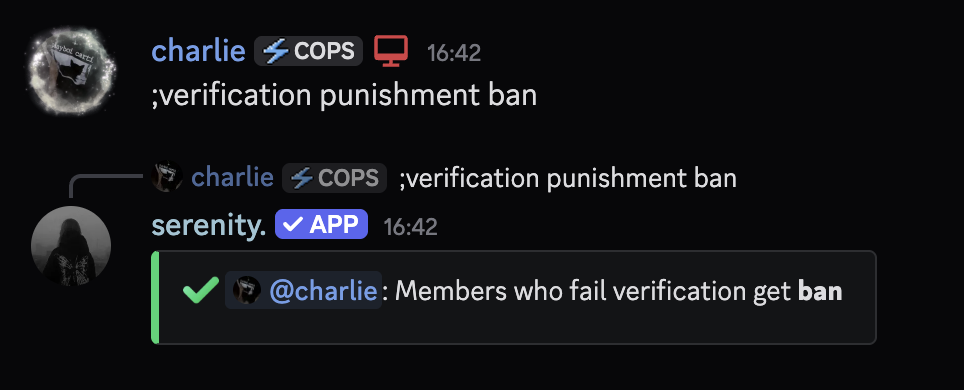
none just clears them out of the gate without touching the member - useful while you're still testing your setup.
Slow a Raid Down
Two settings exist for the moment a raid is actually happening.
Cap how many Members get in
The flood limit caps how many members may finish verifying per timeframe. Everyone over the cap isn't rejected - they stay in the gate and get told when the next slot opens.
// Syntax
[prefix]verification flood [amount] (per)

// Example
;verification flood 10 1h
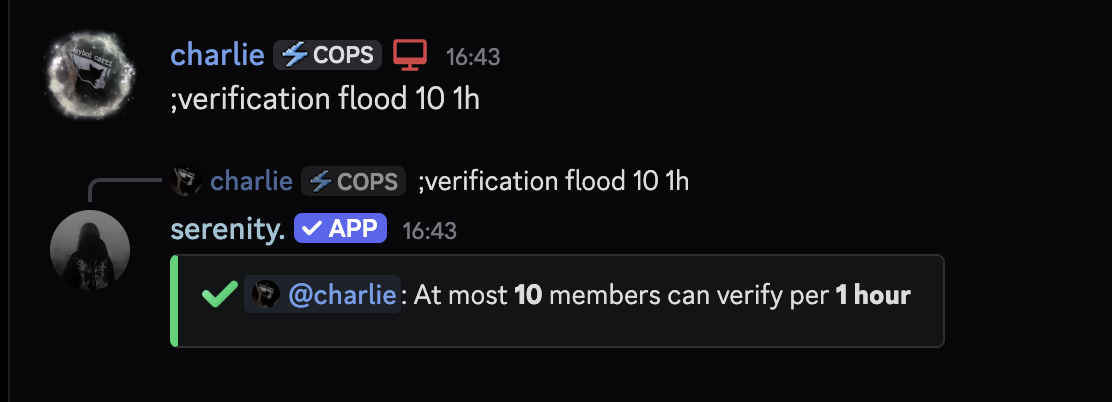
Leave the timeframe off and it defaults to 1 hour. It has to be between 1 minute and 7 days. Set the amount to 0 to turn the limit off.
This is a sliding window, not a bucket that resets on the hour - 10 per hour means ten in any sixty minutes, so a raid can't line up on the boundary and push twenty through in two minutes.
Force a Captcha during a Raid
With raid mode on, serenity upgrades your challenge to a captcha for a while whenever it notices a mass join - or whenever your flood limit fills up, which is a raid signal in itself. Once it calms down, your normal mode comes back.
// Syntax
[prefix]verification raidmode [on|off]

// Example
;verification raidmode on
The Waiting Role
Members waiting at the gate can be given a role. It's what makes the panel channel visible to them and everything else invisible - [prefix]verification create sets one up for you, but you can point it at your own.
// Syntax
[prefix]verification unverifiedrole [role]

// Example
;verification unverifiedrole @Unverified
Roles a member picks up while they're still waiting - from onboarding, reaction roles or another bot - get taken straight back off. One role with a channel allow beats the waiting role's deny, and someone who hasn't verified shouldn't be reading your server.
The exception is you: handing a waiting member the verified role by hand, or taking the waiting role off them, finishes their verification properly - autoroles included - instead of leaving a half-verified member behind.
Run the command without a role to stop handing one out.
Customize the Panel
The panel is a normal embed script, so it takes the same variables as everything else in serenity.
// Syntax
[prefix]verification message set [code]

// Example
;verification message set {embed}{title: Welcome!}{description: Press the button to get in}
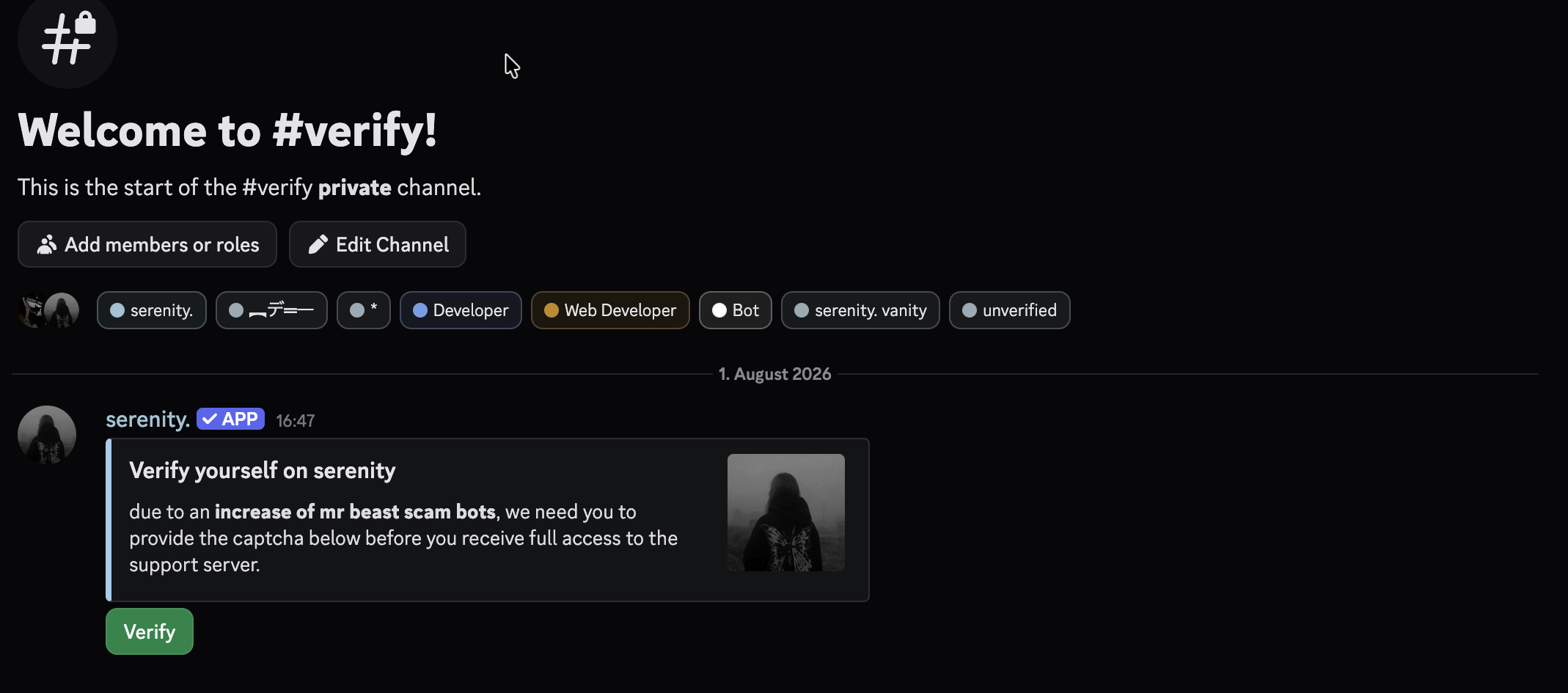
The verify button is added by serenity - you don't write it into your script, and any buttons you do add are kept next to it.
To check what you currently have, use [prefix]verification message view. To go back to the default panel, use [prefix]verification message reset. Both repost the panel for you.
Move or Repost the Panel
[prefix]verification channel [channel] moves the panel somewhere else - the old message is deleted and the channel permissions are fixed up in the process.
// Syntax
[prefix]verification channel [channel]

// Example
;verification channel #entry
If the panel is just gone, [prefix]verification panel sends it again.
serenity repairs this on its own too. Delete the panel message and it comes back; delete the whole channel and it gets rebuilt with its permissions and its panel - everyone waiting at the gate needs that button, and losing it would get them kicked by your own timeout.
Logging
Set a channel and serenity logs every verification, quarantine, stripped role, throttled member and failure into it.
// Syntax
[prefix]verification logs [channel]

// Example
;verification logs #verify-logs
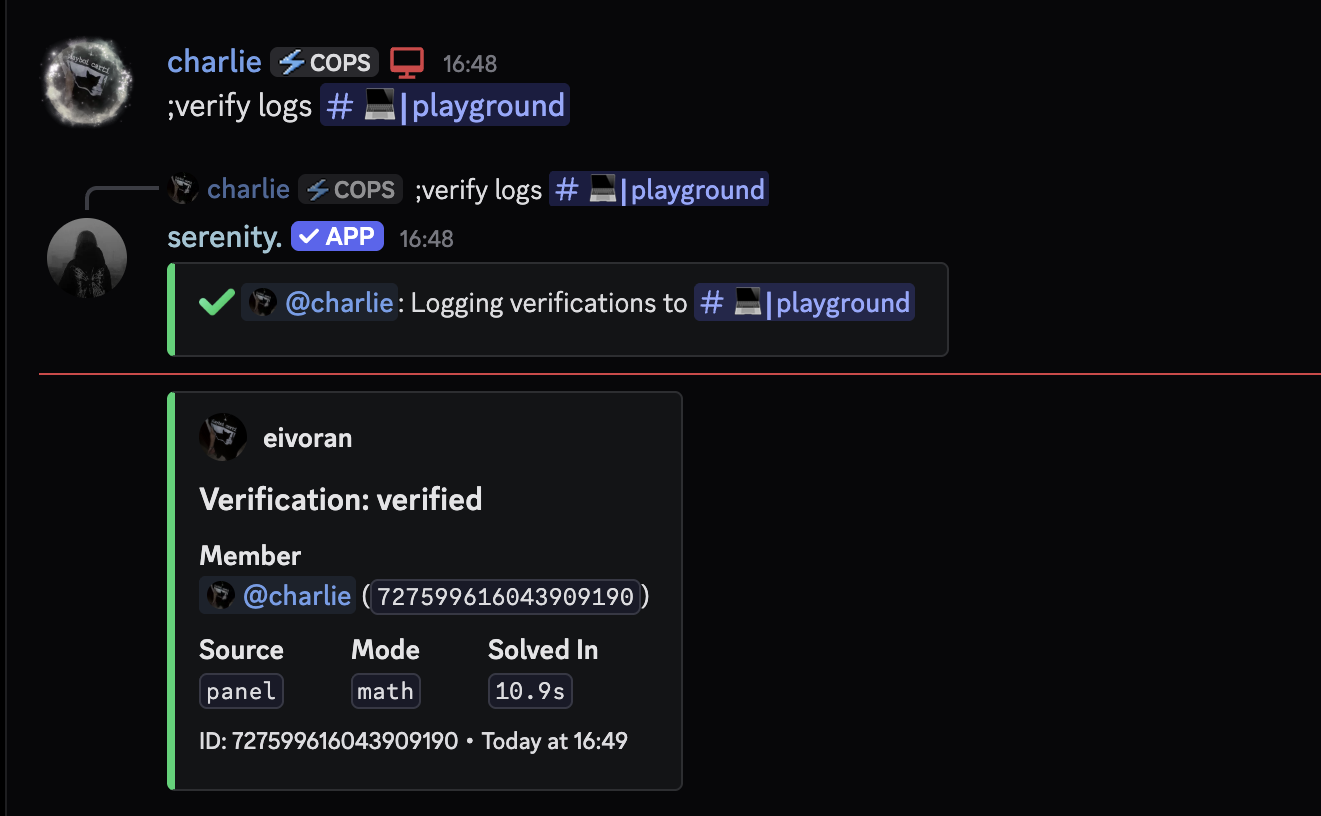
Verified entries include how long the member took on the challenge. A captcha answered in well under a second didn't come from someone reading the image.
Run the command without a channel to turn logging off.
Managing Members
Send someone back through the Gate
Takes the member role back off a member and puts them in front of the panel again - the manual version of antinuke's quarantine punishment.
// Syntax
[prefix]verification quarantine [member] (reason)

// Example
;verification quarantine eivoran ban evasion
Verify someone yourself
Lets a member through without them touching the panel. Moderator approvals ignore the flood limit, so you're never held up by your own throttle.
// Syntax
[prefix]verification approve [member]

// Example
;verification approve eivoran
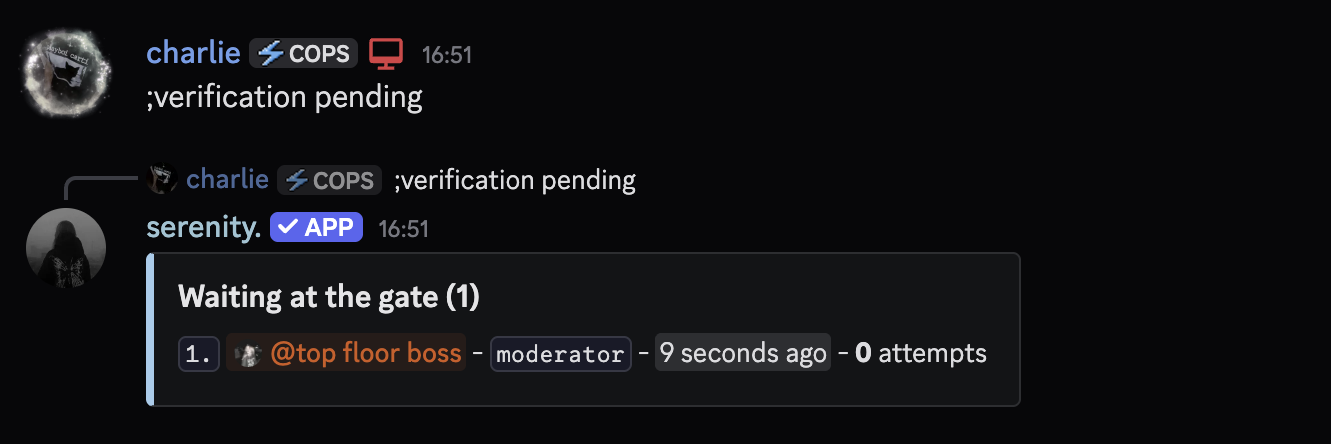
List everyone Waiting
Shows who is at the gate, how long they've been there, how many attempts they've used and which system sent them.
// Syntax
[prefix]verification pending

// Example
;verification pending
Check your Setup
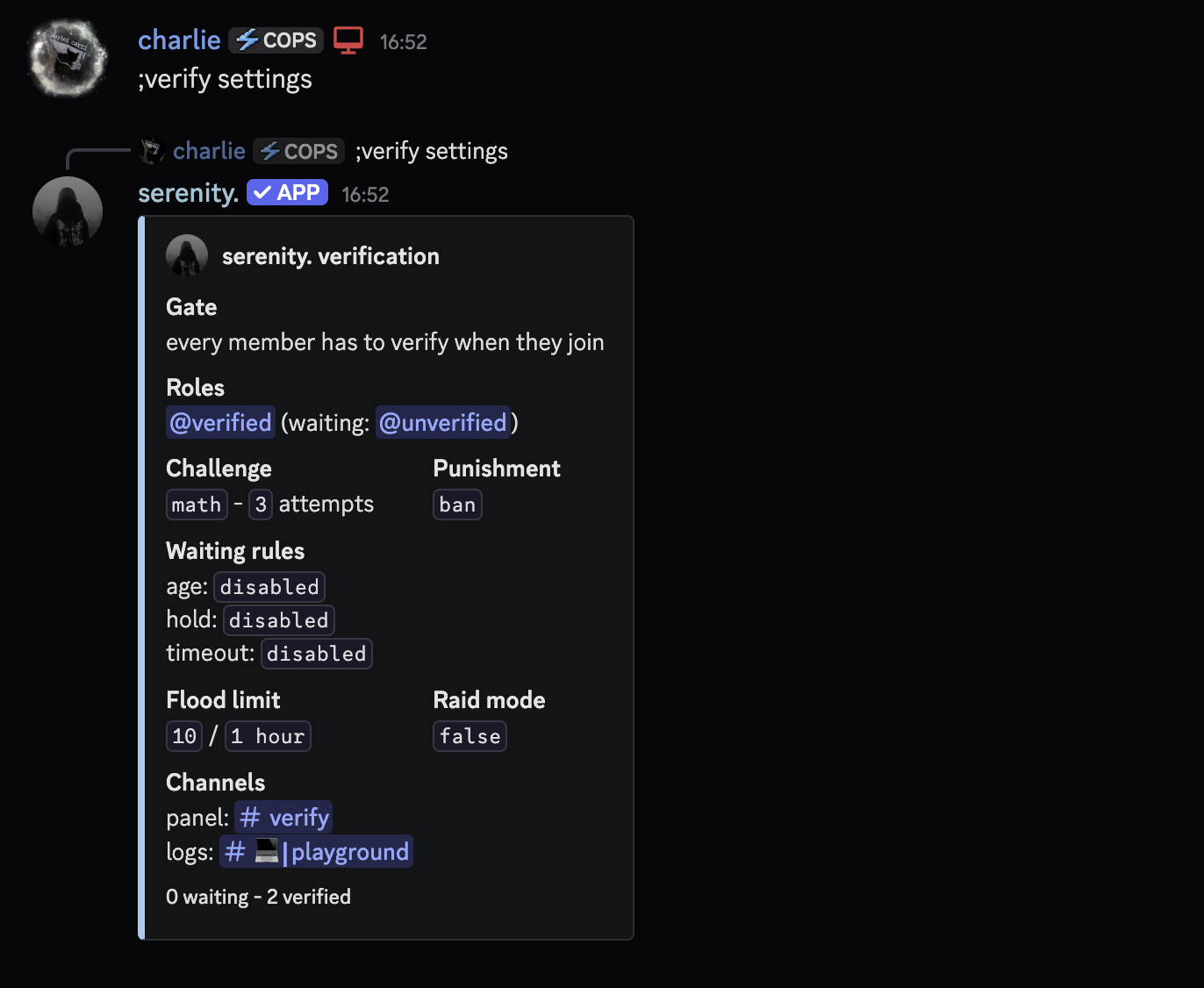
One command shows the whole configuration, plus how many members are waiting and how many have verified so far.
// Syntax
[prefix]verification settings

// Example
;verification settings
Turning Verification off
// Syntax
[prefix]verification disable

// Example
;verification disable
This deletes the panel, your whole configuration and everyone currently waiting at the gate. The roles and the channel stay - but the settings are gone for good.
Last edited