
Setup
Support roles, categories, and the message a member sees when their ticket opens.
Replace [prefix] with your server's prefix.
Everything on this page is set once and applies to the whole server. Topics can override most of it individually - see Topics.
Support Roles
Who can see and act on tickets. Without this, a new ticket is a channel only the member and admins can read.
// Syntax
[prefix]ticket settings support [roles]

// Example
;ticket settings support @staff, @moderator
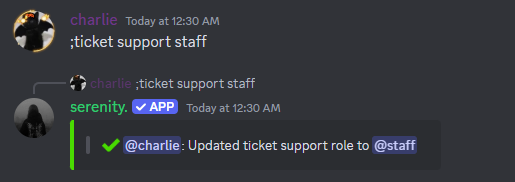
Support roles are pinged when a ticket opens and are the only ones who can claim, close and delete it.
Run the command with nothing after it to remove every support role again.
The Ticket Category
By default ticket channels are created loose at the top of your channel list. Give them a home:
// Syntax
[prefix]ticket settings category [category]

// Example
;ticket settings category Tickets
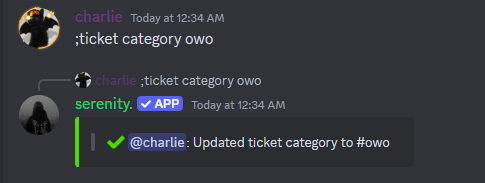
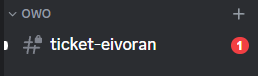
Discord allows 50 channels per category. When yours is full, serenity creates the ticket outside it rather than failing - a good reason to set a closed category too.
The Closed Category
Closed tickets stay around until someone deletes them, which clutters the open ones fast. Send them somewhere else:
// Syntax
[prefix]ticket settings closed [category]

// Example
;ticket settings closed Closed Tickets
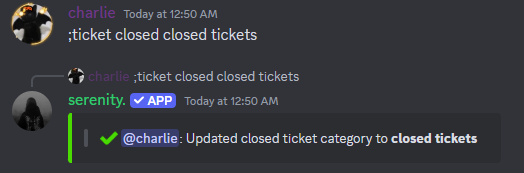
Tickets only move there when they're closed with the Close button or [prefix]ticket close - deleting one skips this entirely.
The Opening Message
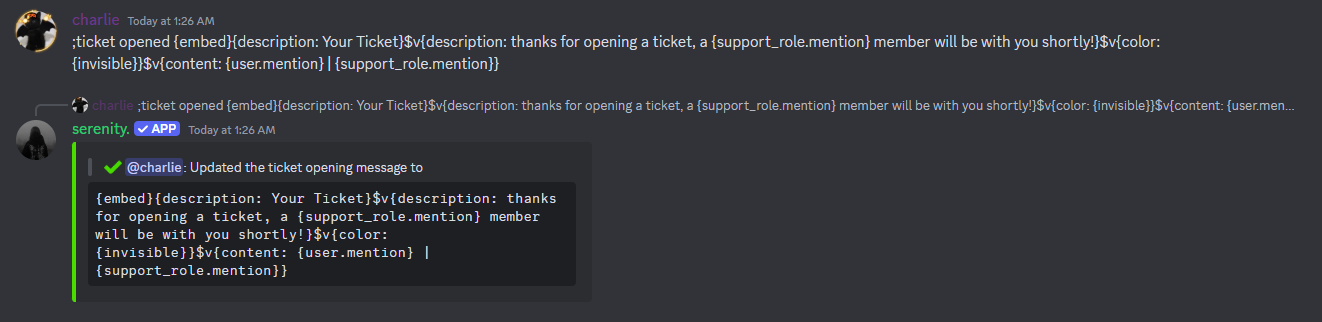
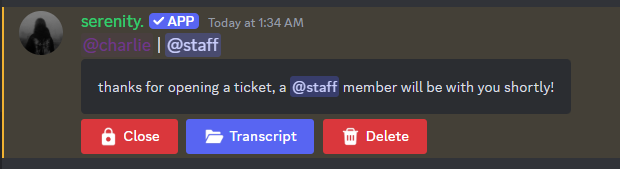
The message serenity posts inside a brand new ticket. Without one you get a plain default; with one you can greet the member, ping staff and explain what to include.
// Syntax
[prefix]ticket settings opened [code]

// Example
;ticket settings opened {content: {support_role.mention}}{embed}$v{title: Ticket opened}$v{description: Tell us what you need and someone will be with you shortly.}
Ticket Variables
On top of the normal embed variables, these work in any ticket message:
| Variable | Output |
|---|---|
{topic} | The topic name, if the ticket has one |
{topic.emoji} | That topic's emoji |
{support_role.mention} | Mentions your support role(s) |
{support.mention} | Shorter alias for the same thing |
$v{slot: controls} | Where the close, transcript and delete buttons go |
[prefix]ticket variables prints the same list in Discord.
Placing the Buttons Yourself
The close, transcript and delete buttons are added under your message automatically. Write $v{slot: controls} and they go exactly where you put it instead - including inside a Components V2 container, which is the only way to get them in there at all.
;ticket settings opened {components}$v{container: color:#181a14}$v{text: ### Ticket opened}$v{text: A moderator will be with you shortly.}$v{separator}$v{slot: controls}$v{/container}
Behaviour Toggles
Each of these is a switch - run it once to turn it on, again to turn it off.
| Command | What it does |
|---|---|
[prefix]ticket settings claiming | Posts a "claim this ticket?" prompt in every new ticket |
[prefix]ticket settings isolation | When someone claims a ticket, removes the other moderators from it |
[prefix]ticket settings singleticket | Limits a member to one open ticket across every topic |
[prefix]ticket autotranscript | Saves a transcript automatically whenever a ticket is deleted |
isolation only does anything with claiming switched on - it triggers on the claim.
Checking What You've Set
// Syntax
[prefix]ticket settings config
Shows your support roles, both categories, the panel style, the opening message and every topic with its own settings.
Starting Over
This deletes every ticket setting, topic, question, blacklist entry and panel for the server. There is no undo.
// Syntax
[prefix]ticket settings reset
Last edited